
这是 .NET AI 构建块系列第三篇。第一篇介绍了 Microsoft.Extensions.AI(MEAI)统一 LLM 接口,第二篇介绍了 Microsoft.Extensions.VectorData 和 RAG 模式。今天的主角是第三块:Microsoft Agent Framework,于 2026 年 4 月正式发布 1.0 版本。
前两篇给你搭好了地基:能跟模型对话,能存储和检索知识。本篇要解决的是更进一步的问题——如果你想让 AI 做事,不只是回答问题,而是主动调用工具、跨对话记忆上下文、和其他智能体协同完成复杂任务,该怎么做?
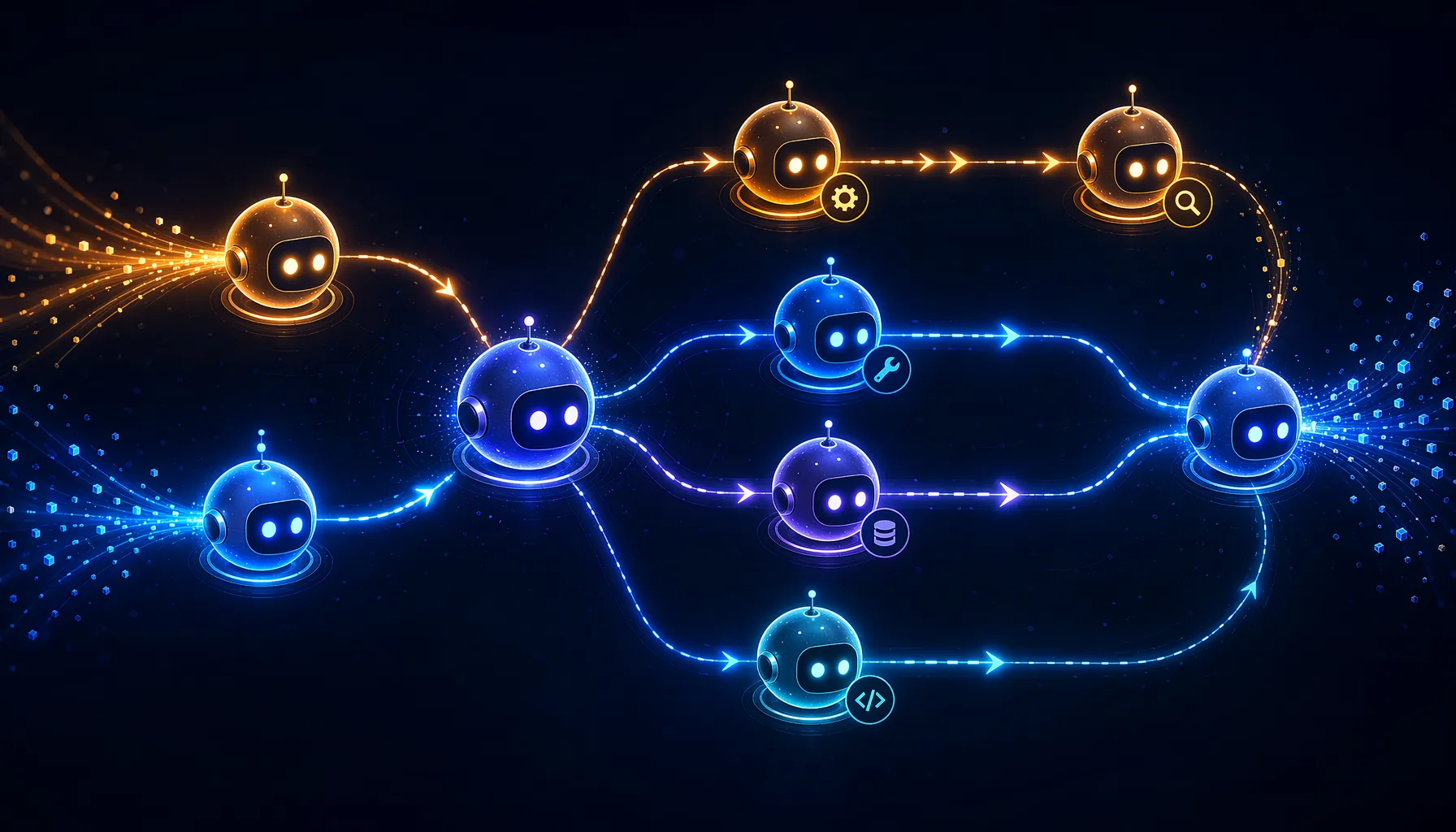
AI 智能体是什么
聊天机器人接收输入、发给模型、返回输出——流程固定,不会自主决策。
AI 智能体(Agent)不同,它具备自主性:可以推理任务、选择工具、调用工具、评估结果、决定下一步。你不需要为每种场景写显式的 if-else 逻辑,模型自己判断该做什么。
原文的比喻很直白:如果说 MEAI 是跟同事聊天,那智能体就是把一张待办清单交给同事,让他自己想办法搞定——他可能去查资料、跑计算、看天气、查数据库,用你给他的任何工具。
Microsoft Agent Framework 是在 .NET 中构建这类智能体的生产级 SDK,同时也支持 Python,本文专注 C#。
创建第一个智能体
如果读过第一篇,Agent Framework 会让你感到熟悉——它直接构建在 IChatClient 之上。安装包:
dotnet add package Microsoft.Agents.AI创建一个会讲笑话的智能体(示例 01_hello_agent):
using Azure.AI.OpenAI;
using Azure.Identity;
using Microsoft.Agents.AI;

var endpoint = Environment.GetEnvironmentVariable("AZURE_OPENAI_ENDPOINT")
    ?? throw new InvalidOperationException("AZURE_OPENAI_ENDPOINT is not set.");
var deploymentName = Environment.GetEnvironmentVariable("AZURE_OPENAI_DEPLOYMENT_NAME")
    ?? "gpt-5.4-mini";

AIAgent agent = new AzureOpenAIClient(
    new Uri(endpoint),
    new DefaultAzureCredential())
    .GetChatClient(deploymentName)
    .AsAIAgent(
        instructions: "You are good at telling jokes.",
        name: "Joker");

Console.WriteLine(await agent.RunAsync("Tell me a joke about a pirate."));
关键是 .AsAIAgent() 扩展方法。就像 .AsIChatClient() 把各家 SDK 桥接到 MEAI 抽象,.AsAIAgent() 在此基础上再封装一层,赋予它管理会话、调用工具、使用记忆的能力。支持的提供商包括 Azure OpenAI、OpenAI、GitHub Models、Microsoft Foundry,以及通过 Foundry Local 或 Ollama 运行的本地模型。
智能体内置流式输出:
await foreach (var update in agent.RunStreamingAsync("Tell me a joke about a pirate."))
{
    Console.Write(update);
}
给智能体配工具
工具是普通的 C# 函数,模型根据用户请求自主决定是否调用。Agent Framework 复用 MEAI 的 AIFunctionFactory,如果你已经为 IChatClient 定义过工具,这里直接用。
天气查询示例(02_add_tools):
using System.ComponentModel;
using Microsoft.Agents.AI;
using Microsoft.Extensions.AI;

[Description("Get the weather for a given location.")]
static string GetWeather(
    [Description("The location to get the weather for.")] string location)
    => $"The weather in {location} is cloudy with a high of 15°C.";

AIAgent agent = new AzureOpenAIClient(
    new Uri(endpoint),
    new DefaultAzureCredential())
    .GetChatClient(deploymentName)
    .AsAIAgent(
        instructions: "You are a helpful assistant",
        tools: [AIFunctionFactory.Create(GetWeather)]);

Console.WriteLine(await agent.RunAsync("What is the weather like in Amsterdam?"));
用户问天气时,智能体不会瞎猜——它识别到有 GetWeather 工具可用,自动传入正确参数调用,再根据返回结果给出答案。你完全不需要写”如果用户问天气就调用这个函数”这样的分支逻辑。
[Description] 特性至关重要——它告诉模型这个工具做什么、参数是什么,模型凭此判断何时以及如何调用工具。可以把它理解成工具的”说明书”。
多轮对话与 AgentSession
真实对话不是一问一答。用户会追问、补充上下文,智能体需要记住之前说了什么。Agent Framework 通过 AgentSession 处理这件事(03_multi_turn):
AgentSession session = await agent.CreateSessionAsync();

Console.WriteLine(
    await agent.RunAsync("Tell me a joke about a pirate.", session));

Console.WriteLine(
    await agent.RunAsync(
        "Now add some emojis to the joke and tell it in the voice of a pirate's parrot.",
        session));
session 保存了对话历史。第二个问题提到”加上 emoji”,智能体知道指的是哪个笑话,因为 session 维护了上下文。
Session 还支持序列化和反序列化,这对无状态服务来说很重要:
// 保存 session 状态
JsonElement sessionState = await agent.SerializeSessionAsync(session);

// 稍后恢复
var restoredSession = await agent.DeserializeSessionAsync(sessionState);
Console.WriteLine(
    await agent.RunAsync("What were we just talking about?", restoredSession));
跨会话记忆:AIContextProvider
Session 保存的是当次对话历史,但如果你想让智能体记住用户的名字、偏好或历史交互——跨越多个 session——就需要 AIContextProvider。
下面是一个从对话中提取并记住用户姓名的示例(04_memory):
internal sealed class UserInfoMemory : AIContextProvider
{
    private readonly ProviderSessionState<UserInfo> _sessionState;
    private readonly IChatClient _chatClient;

    public UserInfoMemory(IChatClient chatClient)
    {
        _sessionState = new ProviderSessionState<UserInfo>(
            _ => new UserInfo(),
            GetType().Name);
        _chatClient = chatClient;
    }

    // 每次交互「之后」运行——从对话中学习
    protected override async ValueTask StoreAIContextAsync(
        InvokedContext context,
        CancellationToken cancellationToken = default)
    {
        var userInfo = _sessionState.GetOrInitializeState(context.Session);

        if (userInfo.UserName is null
            && context.RequestMessages.Any(x => x.Role == ChatRole.User))
        {
            var result = await _chatClient.GetResponseAsync<UserInfo>(
                context.RequestMessages,
                new ChatOptions()
                {
                    Instructions = "Extract the user's name from the message if present."
                },
                cancellationToken: cancellationToken);

            userInfo.UserName ??= result.Result.UserName;
        }

        _sessionState.SaveState(context.Session, userInfo);
    }

    // 每次交互「之前」运行——向智能体提供上下文
    protected override ValueTask<AIContext> ProvideAIContextAsync(
        InvokingContext context,
        CancellationToken cancellationToken = default)
    {
        var userInfo = _sessionState.GetOrInitializeState(context.Session);

        var instructions = userInfo.UserName is null
            ? "Ask the user for their name."
            : $"The user's name is {userInfo.UserName}.";

        return new ValueTask<AIContext>(
            new AIContext { Instructions = instructions });
    }
}
AIContextProvider 有两个核心方法:
StoreAIContextAsync:在每次交互之后运行,智能体从中学习——这里是从对话提取用户姓名ProvideAIContextAsync:在每次交互之前运行,向智能体注入上下文——这里是告知智能体用户姓名,或让它主动询问
挂载到智能体:
AIAgent agent = chatClient.AsAIAgent(new ChatClientAgentOptions()
{
    ChatOptions = new()
    {
        Instructions = "You are a friendly assistant. Always address the user by their name."
    },
    AIContextProviders = [new UserInfoMemory(chatClient.AsIChatClient())]
});
这个模式的优雅之处在于把”记住什么”和”怎么对话”彻底分开。你可以叠加多个 context provider——一个管用户偏好,一个管近期交互,第三个从 VectorData 向量库里拉取相关文档——互不干扰。
多智能体工作流
单个智能体能处理很多场景,但复杂任务往往受益于将工作拆分给多个专职智能体。Agent Framework 提供了基于图的工作流系统,用 executor(处理单元)和 edge(数据流路径)来描述协作关系。
一个简单的串联示例(05_first_workflow):
using Microsoft.Agents.AI.Workflows;

Func<string, string> uppercaseFunc = s => s.ToUpperInvariant();
var uppercase = uppercaseFunc.BindAsExecutor("UppercaseExecutor");
var reverse = new ReverseTextExecutor();

WorkflowBuilder builder = new(uppercase);
builder.AddEdge(uppercase, reverse).WithOutputFrom(reverse);
var workflow = builder.Build();

await using Run run = await InProcessExecution.RunAsync(
    workflow, "Hello, World!");

foreach (WorkflowEvent evt in run.NewEvents)
{
    if (evt is ExecutorCompletedEvent executorComplete)
    {
        Console.WriteLine($"{executorComplete.ExecutorId}: {executorComplete.Data}");
    }
}
当 executor 换成智能体时,框架支持多种编排模式:
| 模式 | 描述 |
|---|---|
| 顺序工作流 | 智能体依次处理,上一个的输出作为下一个的输入 |
| 并发工作流 | 扇出到多个智能体并行处理,再汇聚结果 |
| 条件路由(Hand-off) | 根据上一步输出动态把工作路由到不同智能体 |
| 反馈循环 | 写手-评审模式,循环直到满足质量标准 |
| 子工作流 | 把一个工作流嵌套进另一个,分层组合 |
写手-评审示例
最实用的模式之一是写手-评审循环。一个智能体写内容,另一个审核质量:
WorkflowBuilder builder = new(writerAgent);
builder
    .AddEdge(writerAgent, criticAgent)
    .AddEdge(criticAgent, writerAgent, condition: result => !result.IsApproved)
    .WithOutputFrom(criticAgent, condition: result => result.IsApproved);
var workflow = builder.Build();
写手生成草稿,评审智能体判断是否通过。未通过则草稿返回写手修改,循环继续直到评审满意。实际使用时建议设置最大迭代次数,避免死循环。
Human-in-the-loop 审批
AI 不是要取代人,而是由人通过代码指挥的专职工作者。框架内置了工具审批工作流:智能体提出工具调用请求,等待人工确认后再执行。对于数据库写入、金融交易、发送通信这类敏感操作,这个机制至关重要。
审批机制基于 MEAI 内容模型中的 FunctionApprovalRequestContent 和 FunctionApprovalResponseContent(我们在第一篇中介绍过)。智能体想调用需要审批的工具时,会挂起等待;应用代码把请求呈现给用户,用户的响应决定工具调用是否继续执行。
三块积木如何组合
整个系列的美妙之处在于各个构建块自然组合:
- MEAI(
IChatClient)是地基——与任何模型交互的通用接口 - VectorData 支撑 RAG 模式——智能体通过语义搜索把公司知识库的内容作为上下文
- Agent Framework 把一切串联起来——智能体在底层使用
IChatClient,通过 context provider 接入向量搜索,再通过工作流协同
例如,你可以实现一个 AIContextProvider,在每次智能体调用之前自动搜索 VectorData 向量库,把相关文档注入上下文——这正是第二篇里的 RAG 模式,现在作为每次智能体交互的自动步骤运行。
总结
Microsoft Agent Framework 把第一、二篇的原语升级成具备自主性、能调用工具、有记忆、可协作的智能体。本文涵盖了:
- 用
AsAIAgent()+RunAsync()创建和运行智能体 - 用
AIFunctionFactory和[Description]特性给智能体配工具 - 用
AgentSession管理多轮对话及序列化恢复 - 用
AIContextProvider构建跨会话持久记忆 - 用 executor + edge 编排多智能体工作流,包括写手-评审反馈循环
- Human-in-the-loop 审批敏感操作
系列下一篇(也是最后一篇)将介绍 Model Context Protocol(MCP),探讨如何让智能体通过标准化协议发现并使用外部工具和资源,打通更广泛的 AI 生态互操作性。