
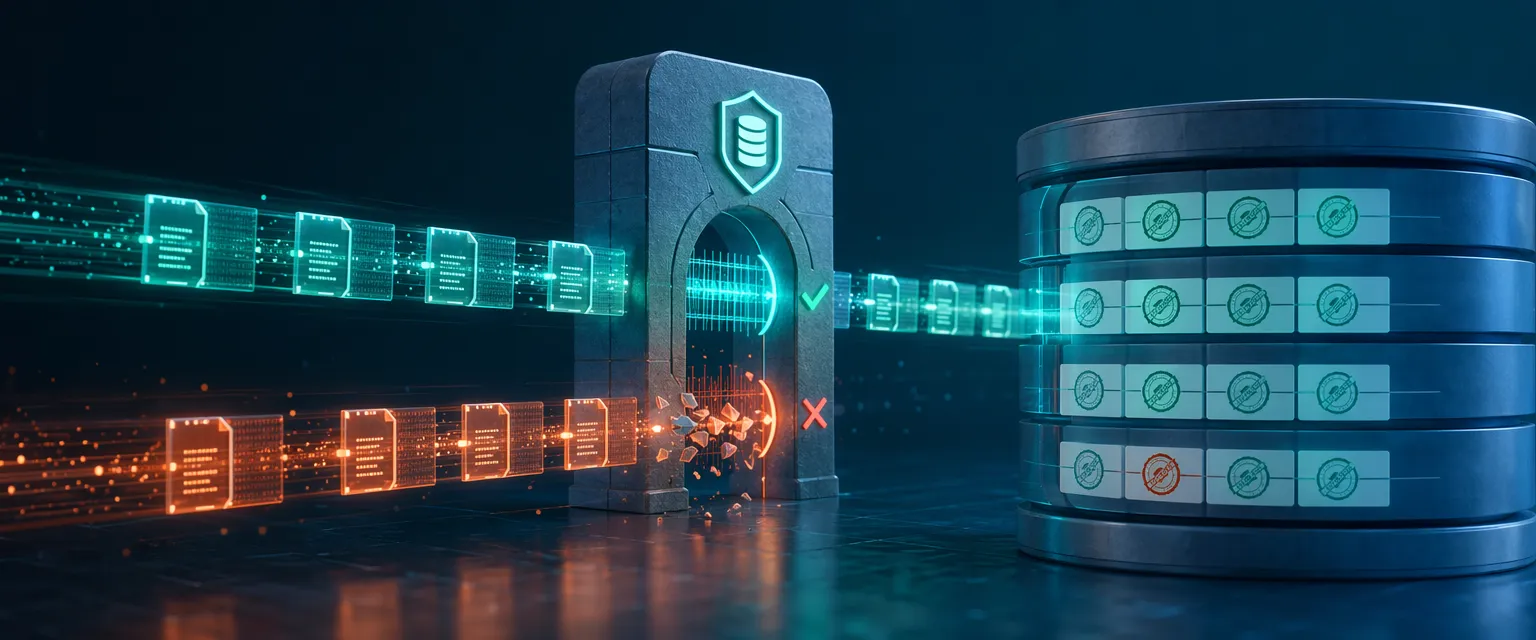
电商管理后台里,用户 A 把商品价格从 ¥299 改成 ¥349,用户 B 同时把库存从 100 调成 80。两人几乎同时点击”保存”——没有并发控制的话,后写入的那方会默默覆盖掉另一个人的改动,什么提示也没有,直到客户下单才发现数据出了问题。
这就是丢失更新问题(Lost Update Problem),多用户应用里最常见的数据完整性漏洞之一。EF Core 的乐观并发控制在保存时检测冲突,而不是提前锁定行——无锁、轻量,非常适合 HTTP 请求短连接场景。
本文以 .NET 10 + EF Core 10 + PostgreSQL 为技术栈,一步步搭建一个 Products API,演示:
- RowVersion 并发令牌的配置方式
DbUpdateConcurrencyException的捕获与 409 Conflict 响应- 自动重试冲突解决策略
- 模拟并发请求,观察冲突实际发生的过程
什么是并发控制
并发控制是数据库系统在多用户同时读写同一行数据时保证一致性的一套机制。两个事务同时读取同一行、各自修改后同时回写,最终其中一个写入就会覆盖另一个——这就是并发冲突。
有两类基本策略:
悲观并发:读取时锁定行,其他人无法修改,直到锁释放。适合高争用、短操作(银行转账、座位预订)。在 EF Core 里需要自己写 SELECT ... FOR UPDATE 原生 SQL,框架不内置这种锁定。
乐观并发:不加锁,而是给每一行打一个版本戳。保存时检查版本是否变过——如果变了,说明别人改过,抛出异常,让应用决定怎么处理。EF Core 原生支持这种模式。
对于绝大多数 Web API,冲突概率统计上并不高,乐观并发是更合适的默认选择。
选哪种:决策矩阵
| 场景 | 推荐方案 | 原因 |
|---|---|---|
| 商品目录编辑(CMS、管理面板) | 乐观(RowVersion) | 同时编辑同一商品的概率低,冲突时让用户选择保留哪个版本 |
| 库存更新(电商、仓储) | 乐观(RowVersion)+ 重试 | 更新频繁但耗时短,2-3 次重试可以解决大多数冲突 |
| 金融交易(账户余额、账本) | 悲观(SELECT FOR UPDATE) | 金额不能出错,锁行做计算,可以接受性能损耗 |
| 配置 / 设置更新 | 乐观(RowVersion) | 改动少、总是手动触发,冲突后提示刷新即可 |
| 座位 / 票务预订 | 乐观 + 重试 或 悲观 | 低并发用乐观,高并发(演唱会抢票)用悲观 |
| 计数器 / 分析 | 无(用原子 SQL) | 直接用 ExecuteUpdate 或原生 SQL,不走 Change Tracker |
90% 的 ASP.NET Core Web API 场景,乐观并发加 RowVersion 就够了。不要因为”用户不多”就跳过这一步——丢失更新问题出现的时候往往出乎意料。
搭建项目
这里用一个 Products API 演示。技术栈:
- .NET 10 Minimal APIs
- EF Core 10 + PostgreSQL(Npgsql)
- PostgreSQL 17(Docker)
- Scalar 做 API 文档
前置条件
创建项目并安装包
dotnet new web -n ConcurrencyControl.Apidotnet add ConcurrencyControl.Api package Microsoft.EntityFrameworkCore --version 10.0.0
dotnet add ConcurrencyControl.Api package Npgsql.EntityFrameworkCore.PostgreSQL --version 10.0.0
dotnet add ConcurrencyControl.Api package Microsoft.EntityFrameworkCore.Design --version 10.0.0
dotnet add ConcurrencyControl.Api package Microsoft.AspNetCore.OpenApi --version 10.0.0
dotnet add ConcurrencyControl.Api package Scalar.AspNetCore --version 2.11.9启动 PostgreSQL
在项目根目录创建 docker-compose.yml:
services:
  postgres:
    image: postgres:17-alpine
    container_name: postgres-concurrency
    restart: always
    environment:
      POSTGRES_USER: postgres
      POSTGRES_PASSWORD: postgres
      POSTGRES_DB: concurrency_db
    ports:
      - "5432:5432"
    volumes:
      - postgres_data:/var/lib/postgresql/data
    healthcheck:
      test: ["CMD-SHELL", "pg_isready -U postgres -d concurrency_db"]
      interval: 10s
      timeout: 5s
      retries: 5

volumes:
  postgres_data:
docker compose up -d实体:加上并发令牌
Product 实体的关键在 RowVersion 属性——这就是并发令牌:
namespace ConcurrencyControl.Api.Entities;

public class Product
{
    public int Id { get; set; }
    public string Name { get; set; } = default!;
    public decimal Price { get; set; }
    public int Stock { get; set; }
    public string Category { get; set; } = default!;
    public DateTime CreatedAt { get; set; }
    public DateTime? LastModified { get; set; }
    public uint RowVersion { get; set; }
}
RowVersion 用 uint,因为 PostgreSQL 使用 xmin——一个 32 位事务 ID,每次行被修改时自动更新。SQL Server 上对应的是 byte[] 加 rowversion 类型。
配置 DbContext
用 Fluent API 把 RowVersion 标记为并发令牌:
using ConcurrencyControl.Api.Entities;
using Microsoft.EntityFrameworkCore;

namespace ConcurrencyControl.Api.Data;

public class AppDbContext(DbContextOptions<AppDbContext> options) : DbContext(options)
{
    public DbSet<Product> Products => Set<Product>();

    protected override void OnModelCreating(ModelBuilder modelBuilder)
    {
        modelBuilder.Entity<Product>(entity =>
        {
            entity.HasKey(p => p.Id);
            entity.Property(p => p.Name).IsRequired().HasMaxLength(200);
            entity.Property(p => p.Price).HasPrecision(18, 2);
            entity.Property(p => p.Stock).IsRequired();
            entity.Property(p => p.Category).IsRequired().HasMaxLength(100);
            entity.Property(p => p.CreatedAt).IsRequired();

            // 配置 RowVersion 为并发令牌
            // PostgreSQL 会自动映射到 xmin 系统列
            entity.Property(p => p.RowVersion)
                .IsRowVersion();
        });
    }
}
.IsRowVersion() 告诉 EF Core 两件事:
- 在每条
UPDATE和DELETE语句的WHERE子句里加上这个列 - 每次
SaveChanges()之后把更新后的值读回来,保持实体同步
对于 PostgreSQL,Npgsql 驱动会把 .IsRowVersion() 映射到 xmin 系统列——这个列已经存在于每张 PostgreSQL 表上,不需要做任何迁移。
如果更习惯用 Data Annotations,也可以直接加 [Timestamp] 属性,效果等同。
EF Core 如何检测冲突
调用 SaveChangesAsync() 时,EF Core 生成的 UPDATE 语句长这样:
UPDATE "Products"
SET "Name" = @p0, "Price" = @p1, "Stock" = @p2, "LastModified" = @p3
WHERE "Id" = @p4 AND "xmin" = @p5;
注意 AND "xmin" = @p5 ——EF Core 的意思是”只在版本号没变的情况下更新这行”。如果在读取到提交之间另一个事务已经修改了这行,xmin 就会不同,WHERE 子句匹配不到任何行,EF Core 检测到 0 行受影响,就抛出 DbUpdateConcurrencyException。
整个检测发生在 UPDATE 语句内部,没有额外的锁,没有阻塞,没有死锁。
注册服务
在 Program.cs 中接入 EF Core 和 Scalar:
using ConcurrencyControl.Api.Data;
using Microsoft.EntityFrameworkCore;
using Scalar.AspNetCore;

var builder = WebApplication.CreateBuilder(args);

builder.Services.AddOpenApi();
builder.Services.AddDbContext<AppDbContext>(options =>
    options.UseNpgsql(builder.Configuration.GetConnectionString("DefaultConnection")));

var app = builder.Build();

app.MapOpenApi();
app.MapScalarApiReference();
appsettings.json 中加上连接字符串:
{
  "ConnectionStrings": {
    "DefaultConnection": "Host=localhost;Database=concurrency_db;Username=postgres;Password=postgres"
  }
}
运行迁移:
dotnet ef migrations add Initial --project ConcurrencyControl.Api
dotnet ef database update --project ConcurrencyControl.Api
构建 API 端点
GET 端点——返回 RowVersion
读取商品时,RowVersion 必须包含在响应里。客户端拿到这个值,后续更新时再带回来,这是检测冲突的关键:
app.MapGet("/products", async (
    AppDbContext context,
    CancellationToken ct) =>
{
    var products = await context.Products
        .AsNoTracking()
        .Select(p => new
        {
            p.Id,
            p.Name,
            p.Price,
            p.Stock,
            p.Category,
            p.RowVersion
        })
        .ToListAsync(ct);

    return Results.Ok(products);
});
PUT 端点——带并发检查的更新
这里是乐观并发生效的地方。客户端把它之前读到的 RowVersion 一起发过来,设置为”原始值”,EF Core 就会把它写进 WHERE 子句:
app.MapPut("/products/{id:int}", async (
    int id,
    UpdateProductRequest request,
    AppDbContext context,
    CancellationToken ct) =>
{
    var product = await context.Products.FindAsync([id], ct);
    if (product is null)
        return Results.NotFound(new { Error = $"Product with ID {id} not found." });

    // 把客户端传来的 RowVersion 设为原始值
    // EF Core 会把它加进 WHERE 子句
    context.Entry(product).Property(p => p.RowVersion).OriginalValue = request.RowVersion;

    product.Name = request.Name;
    product.Price = request.Price;
    product.Stock = request.Stock;
    product.Category = request.Category;
    product.LastModified = DateTime.UtcNow;

    try
    {
        await context.SaveChangesAsync(ct);
        return Results.Ok(new
        {
            product.Id,
            product.Name,
            product.Price,
            product.Stock,
            product.Category,
            product.RowVersion
        });
    }
    catch (DbUpdateConcurrencyException)
    {
        return Results.Conflict(new
        {
            Error = "This product was modified by another user. Please refresh and try again.",
            CurrentVersion = (await context.Products.AsNoTracking()
                .Where(p => p.Id == id)
                .Select(p => new { p.RowVersion, p.Name, p.Price, p.Stock })
                .FirstOrDefaultAsync(ct))
        });
    }
});

public record UpdateProductRequest(
string Name, decimal Price, int Stock, string Category, uint RowVersion);几个要点:
context.Entry(product).Property(p => p.RowVersion).OriginalValue = request.RowVersion是最关键的那行——没有它,EF Core 不知道用哪个版本做比较- 捕获到
DbUpdateConcurrencyException时,返回 409 Conflict,同时把当前数据库里的版本号和数据一起带回去,让前端可以展示两个版本让用户选择 - 成功保存后,把新的
RowVersion一起返回,客户端应该存起来供后续更新使用
冲突解决策略
出现 DbUpdateConcurrencyException 时,有三种处理方向:
策略一:拒绝并通知(客户端优先)
这就是上面 PUT 端点的做法——拒绝写入,让用户刷新后重试。适合有人工参与的场景,用户应该自己决定保留哪个版本。
策略二:自动重试(用于自动化操作)
对于库存调整这类自动化操作,可以重试:读最新数据、重新计算、再次尝试保存。关键是重试前必须 Detach 掉旧实体,否则 FindAsync 会从 Change Tracker 的缓存里返回陈旧数据,形成无限循环:
app.MapPatch("/products/{id:int}/stock-with-retry", async (
    int id,
    StockAdjustmentRequest request,
    AppDbContext context,
    CancellationToken ct) =>
{
    const int maxRetries = 3;

    for (int attempt = 0; attempt < maxRetries; attempt++)
    {
        var product = await context.Products.FindAsync([id], ct);
        if (product is null)
            return Results.NotFound(new { Error = $"Product with ID {id} not found." });

        product.Stock += request.Adjustment;
        if (product.Stock < 0)
            return Results.BadRequest(new { Error = "Insufficient stock." });

        product.LastModified = DateTime.UtcNow;

        try
        {
            await context.SaveChangesAsync(ct);
            return Results.Ok(new
            {
                product.Id,
                product.Stock,
                product.RowVersion,
                Attempt = attempt + 1
            });
        }
        catch (DbUpdateConcurrencyException)
        {
            // 必须 Detach,下次循环才能读到新数据
            context.Entry(product).State = EntityState.Detached;
        }
    }

    return Results.Conflict(new
    {
        Error = $"Failed to update stock after {maxRetries} attempts."
    });
});

public record StockAdjustmentRequest(int Adjustment);
context.Entry(product).State = EntityState.Detached 把实体从 Change Tracker 里移除,下一次 FindAsync 才会真正去数据库读最新状态。
策略三:合并变更
读取数据库当前值和客户端提交值,合并后再保存。理论上很优雅,实践中容易出 bug——合并逻辑依赖业务规则,泛化处理往往带来隐患。作者建议:从策略一开始,自动化操作用策略二,策略三只在非常明确的场景下谨慎使用。
模拟并发冲突
用下面的端点一次性发 5 个并发更新到同一商品——只有一个应该成功:
app.MapPost("/products/{id:int}/simulate-conflict", async (
    int id,
    AppDbContext context,
    IServiceProvider sp,
    CancellationToken ct) =>
{
    var product = await context.Products
        .AsNoTracking()
        .FirstOrDefaultAsync(p => p.Id == id, ct);

    if (product is null)
        return Results.NotFound(new { Error = $"Product with ID {id} not found." });

    // 同时发 5 个更新,每个用独立的 DbContext scope
    var tasks = Enumerable.Range(1, 5).Select(async i =>
    {
        using var scope = sp.CreateScope();
        var db = scope.ServiceProvider.GetRequiredService<AppDbContext>();

        var p = await db.Products.FindAsync([id], ct);
        if (p is null) return new { Task = i, Status = "NotFound", Detail = (string?)null };

        p.Price = product.Price + (i * 1.00m);
        p.LastModified = DateTime.UtcNow;

        await Task.Delay(10, ct); // 增加冲突概率

        try
        {
            await db.SaveChangesAsync(ct);
            return new { Task = i, Status = "Success", Detail = $"Price updated to {p.Price}" };
        }
        catch (DbUpdateConcurrencyException)
        {
            return new { Task = i, Status = "Conflict", Detail = "DbUpdateConcurrencyException caught" };
        }
    });

    var results = await Task.WhenAll(tasks);

    return Results.Ok(new
    {
        Message = "Concurrent update simulation complete",
        Successes = results.Count(r => r.Status == "Success"),
        Conflicts = results.Count(r => r.Status == "Conflict"),
        Details = results
    });
});
调用 POST /products/1/simulate-conflict 后会看到类似这样的结果:
{
  "message": "Concurrent update simulation complete",
  "successes": 1,
  "conflicts": 4,
  "details": [
    { "task": 1, "status": "Success", "detail": "Price updated to 30.99" },
    { "task": 2, "status": "Conflict", "detail": "DbUpdateConcurrencyException caught" },
    { "task": 3, "status": "Conflict", "detail": "DbUpdateConcurrencyException caught" },
    { "task": 4, "status": "Conflict", "detail": "DbUpdateConcurrencyException caught" },
    { "task": 5, "status": "Conflict", "detail": "DbUpdateConcurrencyException caught" }
  ]
}
5 个并发更新只有 1 个成功,其余 4 个检测到冲突并抛出异常——没有静默的数据覆盖,没有丢失更新。
每个任务必须创建独立的 DbContext scope(通过 IServiceProvider.CreateScope())。如果共用一个 DbContext,Change Tracker 会把操作串行化,就观察不到冲突了。
RowVersion vs ConcurrencyCheck
EF Core 提供两种并发令牌配置方式:
| 特性 | IsRowVersion() | IsConcurrencyToken() |
|---|---|---|
| 值的管理 | 数据库自动生成和更新 | 应用需要手动设置 |
| 保护范围 | 整行——任何列变动都触发版本更新 | 只保护标记的那一列 |
| 是否需要额外列 | 是(PostgreSQL 用 xmin 不需要迁移) | 否,复用已有字段 |
| 出 bug 的风险 | 低,数据库自动管理 | 高,忘记更新令牌值会导致冲突检测失效 |
实际项目里,SQL Server 和 PostgreSQL 都应该默认用 IsRowVersion()。IsConcurrencyToken() 只有一个适用场景:数据库不支持自动更新版本列(比如 SQLite)。原作者在生产环境见过开发者用 IsConcurrencyToken() 却忘了在某个代码路径里更新令牌值,静默数据损坏在几周后才被发现。
PostgreSQL xmin vs SQL Server rowversion
| 方面 | SQL Server rowversion | PostgreSQL xmin |
|---|---|---|
| 类型 | byte[](8 字节,二进制) | uint(32 位事务 ID) |
| 存储 | 需要显式添加列 | 系统列,每行天然存在 |
| 是否需要迁移 | 是,ALTER TABLE ADD | 否,xmin 内置 |
| 唯一性 | 数据库级别唯一 | 事务范围内唯一 |
| EF Core 配置 | entity.Property(p => p.Version).IsRowVersion() | 相同,Npgsql 自动映射到 xmin |
Npgsql 驱动对映射是透明的——在 uint 属性上调用 .IsRowVersion(),它自动走 xmin,不产生任何迁移列。
生产中常见的坑
1. 批量操作绕过并发令牌
ExecuteUpdate() 和 ExecuteDelete() 直接翻译成 SQL,不经过 Change Tracker,也就不会检查并发令牌:
// 这不会检查 RowVersion——所有匹配行直接更新
await context.Products
    .Where(p => p.Category == "Electronics")
    .ExecuteUpdateAsync(s => s.SetProperty(p => p.Price, p => p.Price * 1.1m), ct);
如果批量操作也需要并发保护,必须手写带版本检查的原生 SQL,或者逐条通过 Change Tracker 处理。
2. 关联实体不被自动保护
Product 的 RowVersion 不会保护它的 ProductImages 或 ProductReviews。如果需要保护关联实体,要么给每个实体单独加 RowVersion,要么用拦截器在子实体变化时更新父实体的 LastModified。
3. 重试前必须 Detach 实体
不 Detach 就直接重试,FindAsync 会从缓存里返回陈旧实体,导致无限循环的并发异常:
catch (DbUpdateConcurrencyException)
{
    // 必须先 Detach,才能读到最新数据
    context.Entry(product).State = EntityState.Detached;
}
4. 软删除与并发的交互
用软删除(IsDeleted 标志位)时,把某行标记为删除也会改变它的 xmin。另一个用户如果恰好在同时编辑这行,会收到 DbUpdateConcurrencyException——这是正确行为,但错误消息应该清楚地说明”这条记录已被另一个用户删除”。
5. 生产日志里出现 409
409 Conflict 是预期行为,不是程序错误。不要把并发冲突记录成 Error 级别——用 Warning 或 Information。它说明系统正在正确工作。
常见问题排查
每次更新都抛出 DbUpdateConcurrencyException:客户端传来的 RowVersion 值不对。确保 GET 端点返回的 RowVersion(PostgreSQL 是 uint)被完整地发回 PUT 端点。
从来不抛出并发异常:检查属性是否配置了 .IsRowVersion() 或 [Timestamp],以及实体是否被 Change Tracker 跟踪(AsNoTracking() 的实体不参与并发检测)。
重试时无限循环:忘了在 catch 里 Detach 实体。
PostgreSQL xmin 回绕到 0:PostgreSQL 的 32 位事务计数器经过约 40 亿个事务后会回绕。PostgreSQL 的 VACUUM 进程会透明处理这个问题,不需要应用层干预。
小结
EF Core 10 的乐观并发实现很直接:给实体加 RowVersion,用 .IsRowVersion() 配置,捕获 DbUpdateConcurrencyException,返回 409 Conflict。不冲突时零性能开销,冲突时有清晰的错误路径。
适用场景 90% 是乐观并发;金融交易才考虑悲观锁。重试场景记得 Detach;批量操作要自己处理版本检查。
完整源码在 GitHub。