
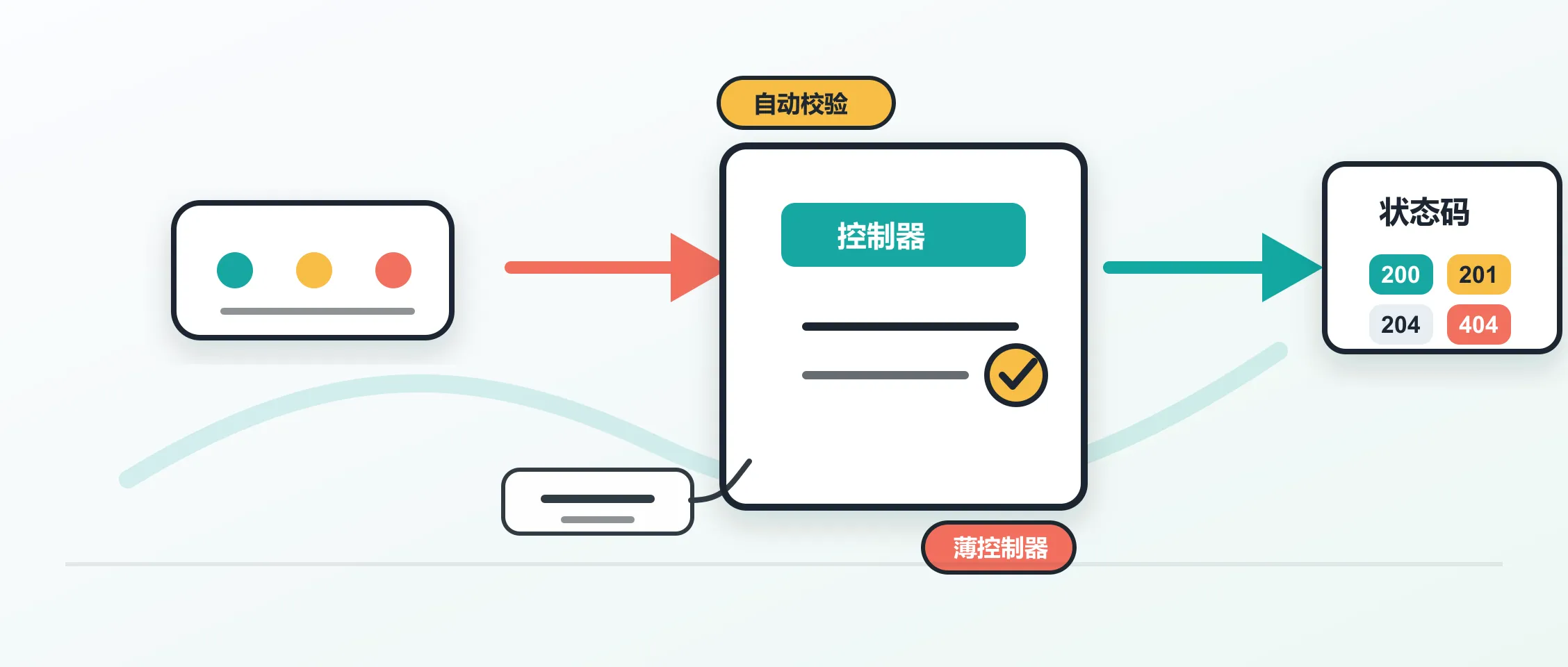
在 ASP.NET Core Web API 里,controller 是最常见的 HTTP 入口。它接收请求,调用业务代码,再把结果翻译成 HTTP 响应。这个角色看起来简单,写坏之后会很快变成一堆条件判断、数据转换和状态码分支。
Dev Leader 这篇文章把 controller 的基本功重新梳理了一遍:什么时候用 ControllerBase,[ApiController] 自动做了什么,action 应该返回什么类型,模型绑定从哪里取数据,以及为什么要让 controller 保持很薄。这里结合 Microsoft Learn 的官方说明,整理成一份可直接用在项目里的检查清单。
先选基类
ASP.NET Core 里常见两个 controller 基类:ControllerBase 和 Controller。
ControllerBase 提供 Web API 需要的基础能力,例如访问 HttpContext、Request、Response、ModelState,以及 Ok()、NotFound()、BadRequest()、CreatedAtAction() 这类响应辅助方法。
Controller 继承自 ControllerBase,还加入 Razor 视图相关能力,例如 View()、ViewData、ViewBag 和 TempData。如果项目只返回 JSON,通常选择 ControllerBase。
一个常见起点如下:
using Microsoft.AspNetCore.Mvc;

[ApiController]
[Route("api/[controller]")]
public class CustomersController : ControllerBase
{
    [HttpGet]
    public IActionResult GetAll()
    {
        return Ok(new[] { new { Id = 1, Name = "Acme Corp" } });
    }

    [HttpGet("{id:int}")]
    public IActionResult GetById(int id)
    {
        return Ok(new { Id = id, Name = "Acme Corp" });
    }

    [HttpPost]
    public IActionResult Create([FromBody] CreateCustomerRequest request)
    {
        var newId = 42;
        return CreatedAtAction(
            nameof(GetById),
            new { id = newId },
            new { Id = newId });
    }
}

public record CreateCustomerRequest(string Name, string Email);
这里有三个基础选择:
[ApiController]打开 Web API 常用行为。[Route("api/[controller]")]给 controller 设置基础路径。ControllerBase提供 HTTP 响应辅助方法。
[controller] 会用 controller 类名去掉 Controller 后缀后的部分替换。CustomersController 对应的路径就是 /api/customers。
ApiController 做了什么
[ApiController] 不是一个简单标记。它会改变 controller 的几个默认行为。
模型验证会自动执行。如果请求体绑定到模型后不满足数据注解,action 方法体还没运行,框架就会返回 400 Bad Request,响应体使用 ProblemDetails 格式。很多旧代码里常见的这一段可以省掉:
if (!ModelState.IsValid)
{
    return BadRequest(ModelState);
}
绑定来源也会自动推断。复杂类型通常从请求体读取,路由模板里的简单类型从 route value 读取,其余简单类型多从 query string 读取。比如 GET /api/orders/42?includeLines=true 里,id 可以从路由取,includeLines 可以从查询字符串取。
错误响应会更一致。ASP.NET Core 现在默认使用 RFC 9457 形式的 ProblemDetails 来表达很多错误,客户端可以稳定读取 type、title、status、detail 和 instance 等字段。
在新项目里,可以把 [ApiController] 放在每个 controller 上,也可以在程序集级别启用,让所有 API controller 使用一致行为。
Action 怎么写
Action method 是处理请求的公开方法。它需要是 public,不能是 static,也不能标记 [NonAction]。有数据库、远程 HTTP 调用或文件 I/O 时,优先写成异步方法。
常见返回类型有这些:
IActionResult:适合返回结果种类多,成功类型不固定的场景。ActionResult<T>:适合成功响应有明确模型类型的场景。Task<IActionResult>:异步版本。Task<ActionResult<T>>:异步且成功类型明确。
在有明确成功类型时,优先使用 ActionResult<T>。它能让 OpenAPI 工具更容易推断响应模型,也让阅读代码的人直接看到成功响应的数据形状。
[ApiController]
[Route("api/[controller]")]
public class InvoicesController : ControllerBase
{
    private readonly IInvoiceService _invoiceService;
    private readonly ILogger<InvoicesController> _logger;

    public InvoicesController(
        IInvoiceService invoiceService,
        ILogger<InvoicesController> logger)
    {
        _invoiceService = invoiceService;
        _logger = logger;
    }

    [HttpGet]
    public async Task<ActionResult<IReadOnlyList<InvoiceSummary>>> GetAll(
        CancellationToken cancellationToken)
    {
        var invoices = await _invoiceService.GetAllAsync(cancellationToken);
        return Ok(invoices);
    }

    [HttpGet("{id:guid}")]
    public async Task<ActionResult<InvoiceDetail>> GetById(
        Guid id,
        CancellationToken cancellationToken)
    {
        var invoice = await _invoiceService.GetByIdAsync(id, cancellationToken);

        if (invoice is null)
        {
            return NotFound();
        }

        return Ok(invoice);
    }

    [HttpPost]
    public async Task<ActionResult<InvoiceDetail>> Create(
        [FromBody] CreateInvoiceRequest request,
        CancellationToken cancellationToken)
    {
        var created = await _invoiceService.CreateAsync(
            request,
            cancellationToken);

        return CreatedAtAction(
            nameof(GetById),
            new { id = created.Id },
            created);
    }

    [HttpDelete("{id:guid}")]
    public async Task<IActionResult> Delete(
        Guid id,
        CancellationToken cancellationToken)
    {
        await _invoiceService.DeleteAsync(id, cancellationToken);
        return NoContent();
    }
}
这段代码的关键在于 action 只做三件事:接参数,调用 service,返回状态码。CancellationToken 也一路传下去。客户端断开连接后,框架会触发这个 token,数据库查询或外部 HTTP 调用就有机会及时停止。
状态码要准确
Controller 层的一个核心职责是把业务结果映射成合适的 HTTP 响应。常见对应关系可以这样记:
Ok(value):返回200,通常用于成功的GET。CreatedAtAction(...):返回201,通常用于创建资源,并带上Location。NoContent():返回204,常见于成功删除或无需返回内容的更新。BadRequest(...):返回400,表示请求本身不合法。NotFound():返回404,表示资源不存在。Conflict(...):返回409,表示资源状态冲突,例如邮箱已注册。
业务规则错误也建议使用 ProblemDetails,这样它和自动模型验证的错误形状一致。
[HttpPost]
public async Task<IActionResult> Register([FromBody] RegisterRequest request)
{
    if (await EmailExistsAsync(request.Email))
    {
        return Conflict(new ProblemDetails
        {
            Title = "Email already registered",
            Detail = "The email address is already associated with an account.",
            Status = StatusCodes.Status409Conflict
        });
    }

    var member = await CreateMemberAsync(request);
    return CreatedAtAction(nameof(GetById), new { id = member.Id }, member);
}
客户端消费 API 时,最怕同一种错误在不同接口里返回不同 JSON 形状。ProblemDetails 能减少这种额外适配。
模型绑定来源
模型绑定负责把 HTTP 请求里的数据填到 action 参数里。ASP.NET Core 常见绑定来源有这些:
[FromRoute]:从路由参数读取。[FromQuery]:从查询字符串读取。[FromBody]:从请求体读取,JSON 默认由System.Text.Json反序列化。[FromHeader]:从请求头读取。[FromForm]:从表单读取,常见于文件上传。
有 [ApiController] 时,很多来源可以推断出来。遇到参数名和来源字段不一致、需要读取请求头、或者希望代码意图更清楚时,显式写出来源更稳。
[ApiController]
[Route("api/exports")]
public class ExportsController : ControllerBase
{
    [HttpGet("{format}")]
    public IActionResult Download(
        [FromRoute] string format,
        [FromQuery] DateTimeOffset from,
        [FromQuery] DateTimeOffset to,
        [FromQuery] string? timezone = "UTC",
        [FromHeader(Name = "X-Correlation-Id")]
        string? correlationId = null)
    {
        return Ok(new
        {
            Format = format,
            From = from,
            To = to,
            Timezone = timezone,
            CorrelationId = correlationId
        });
    }
}
如果项目需要调整 JSON 行为,可以在 AddControllers() 后调用 AddJsonOptions(...)。只有在确实需要某些 Newtonsoft.Json 特性时,再引入对应扩展。
依赖注入
Controller 通过构造函数接收依赖。ASP.NET Core 会在每次请求激活 controller 时,从内置依赖注入容器中解析构造函数参数。
[ApiController]
[Route("api/[controller]")]
public class NotificationsController : ControllerBase
{
    private readonly INotificationService _notificationService;
    private readonly IUserRepository _userRepository;
    private readonly ILogger<NotificationsController> _logger;

    public NotificationsController(
        INotificationService notificationService,
        IUserRepository userRepository,
        ILogger<NotificationsController> logger)
    {
        _notificationService = notificationService;
        _userRepository = userRepository;
        _logger = logger;
    }

    [HttpPost("send")]
    public async Task<IActionResult> Send(
        [FromBody] SendNotificationRequest request,
        CancellationToken cancellationToken)
    {
        var user = await _userRepository.GetByIdAsync(
            request.UserId,
            cancellationToken);

        if (user is null)
        {
            return NotFound(new ProblemDetails
            {
                Title = "User not found",
                Detail = $"No user with ID {request.UserId} exists.",
                Status = StatusCodes.Status404NotFound
            });
        }

        _logger.LogInformation(
            "Sending {Channel} notification to user {UserId}",
            request.Channel,
            request.UserId);

        await _notificationService.SendAsync(user, request, cancellationToken);
        return Accepted();
    }
}

public record SendNotificationRequest(
    Guid UserId,
    string Channel,
    string Message);
ILogger<T> 来自框架内置日志系统,通常不用手动注册。自己的服务和仓储要在 Program.cs 里注册,例如:
builder.Services.AddScoped<INotificationService, NotificationService>();
builder.Services.AddScoped<IUserRepository, UserRepository>();
让控制器变薄
原文反复强调一个实践:controller 不应该承载业务逻辑。它的职责是协调请求、业务服务和响应。
当 action 里开始出现大段循环、复杂条件分支、数据聚合或跨系统调用编排时,可以考虑把逻辑移到 service、command handler、query handler 或 facade 里。controller 只留下输入输出边界。
薄 controller 有几个直接好处:
- 代码更容易读,请求入口一眼能看完。
- 测试更简单,通常 mock 一两个服务,再断言状态码和响应形状。
- 业务规则可以脱离 HTTP 层复用。
- 以后改路由、鉴权或响应格式时,不容易碰到业务代码。
如果项目采用 Mediator 模式,controller 可以只发送 command 或 query。若一个接口背后要协调多个仓储、缓存和外部服务,也可以用 facade 给 controller 提供一个更窄的入口。
过滤器和 Areas
Filter 适合处理只作用于部分 controller 或 action 的横切逻辑。比如:
- 写操作审计日志。
- 针对部分端点做响应缓存。
- 自定义授权检查。
- 把特定异常映射成状态码。
常见接口包括 IActionFilter、IAsyncActionFilter、IResultFilter、IExceptionFilter 和 IResourceFilter。它们可以通过 attribute、[ServiceFilter(typeof(MyFilter))] 或全局配置接入。
当 API 规模变大,Controllers/ 目录里堆满几十上百个 controller 时,可以用 Areas 分组。比如后台接口和前台接口都操作产品资源,可以分别放到 admin 和 store 区域:
[Area("admin")]
[Route("api/[area]/[controller]")]
public class ProductsController : ControllerBase
{
}
这种方式适合多模块或多租户系统。不同区域可以拥有自己的路径、授权策略和服务注册边界。
.NET 10 变化
原文提到几个 .NET 10 相关变化,和 controller 项目关系比较近。
Microsoft.AspNetCore.OpenApi 在 .NET 9 开始提供内置 OpenAPI 支持,.NET 10 继续扩展。很多项目可以减少对第三方 OpenAPI 包的依赖,但复杂文档需求仍然要按项目情况判断。
泛型版 [ProducesResponseType<T>] 能替代过去的 [ProducesResponseType(typeof(MyType), 200)] 写法。它对重构更友好,类型改名或移动时更容易被工具检查到。
Endpoint metadata 也更丰富。controller action 可以带上更多元数据,后续 middleware 或 endpoint filter 可以读取这些信息,用来做缓存、限流、功能开关等处理。
Native AOT 支持也在改善。源生成器覆盖更多需要反射的场景,减少手动补 [JsonSerializable] 的负担。高频日志可以配合 [LoggerMessage] 做编译期日志方法生成,减少装箱和字符串模板开销。
实用检查清单
写一个新的 ASP.NET Core controller 前,可以快速过一遍:
- Web API 优先从
ControllerBase开始。 - 给 API controller 启用
[ApiController]。 - 路由用 attribute routing,让入口在代码旁边可见。
- 成功类型明确时,action 返回
ActionResult<T>。 - 创建资源用
CreatedAtAction,删除成功用NoContent。 - 业务错误也尽量使用
ProblemDetails。 - 需要读取 header 或字段名不直观时,显式写
[FromHeader]、[FromQuery]或[FromRoute]。 - I/O 操作用异步,并把
CancellationToken传到服务层。 - 构造函数注入服务,不在 controller 里 new 业务对象。
- action 里只协调请求、服务和响应,复杂逻辑移到服务或 handler。
ASP.NET Core controller 的写法并不神秘。把 HTTP 边界处理清楚,把业务逻辑放到合适位置,再让响应格式保持一致,大多数 Web API 端点就会更容易维护。
如果你关注 AI 助手、开发工具和软件工程实践,可以关注 Aide Hub。这里会继续分享实用的工具教程、技术观察和项目经验。